No Customs Hassles • Guaranteed Authenticity • 7-Day Free Returns

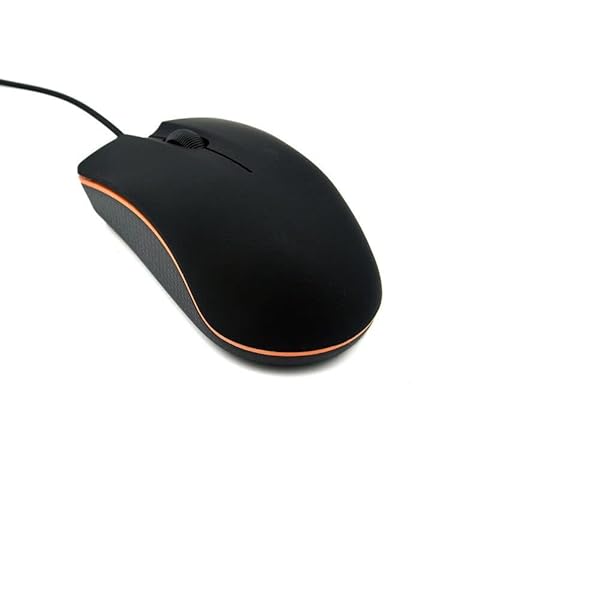
Guiheng Guiheng Wired Mouse - Ergonomic USB Mouse for PC, Laptop & Mac | Durable Clicks for Right & Left Hand Use
Guiheng

Guiheng Wired Mouse - Ergonomic USB Mouse for PC, Laptop & Mac | Durable Clicks for Right & Left Hand Use

SKU: B09H37F1ZH

1,473.31

All taxes and duties included | Tracking provided

In Stock
Estimated delivery: 14-21 business days
Qty:
Customs & duties included
100% authentic
7-day free returns
GST invoice available

* Guiheng Ergonomic Wired Mouse - USB Computer Mouse for Right or Left Hand, Durable Clicks for PC, Laptop, Desktop, Chromebook, Notebook, Mac (Black): how to connect: step1:open the battery cover,then install the two aaa battery * Step2:Take out the USB dongle and close the battery cover * Step3:Plug the USB dongle in the USB port * Step4:Place your wireless mouse close to the dongle about 30CM,turn the power switch button to "ON" * The led light will light up.Your mouse will connect with the

Guiheng Ergonomic Wired Mouse - USB Computer Mouse for Right or Left Hand, Durable Clicks for PC, Laptop, Desktop, Chromebook, Notebook, Mac (Black)!Discover the Guiheng Ergonomic Wired Mouse - USB Computer Mouse for Right or Left Hand, Durable Clicks for PC, Laptop, Desktop, Chromebook, Notebook, Mac (Black). Built for dependable performance, easy setup, and everyday value.Key features- How to connect: Step1:open the battery cover,then install the two AAA battery- Step2:Take out the USB dongle and close the battery cover- Step3:Plug the USB dongle in the USB port- Step4:Place your wireless mouse close to the dongle about 30CM,turn the power switch button to "ON"- the led light will light up.Your mouse will connect with the dongle automatically and start working- Notice if the mouse doesn't work ,please place the mouse near to the dongle and press the connect button (underneath the mouse)and release ,it wll connect to workBenefits- How to connect: Step1:open the battery cover,then install the two AAA battery- Step2:Take out the USB dongle and close the battery cover- Step3:Plug the USB dongle in the USB portDetailsThis item is designed to deliver reliable results with minimal effort. It fits into a wide range of home and office setups, offering stable performance and consistent quality. Use it as a drop-in upgrade or as a trusted replacement to keep your workflow smooth.How to use- Unbox and review the quick start guide.- Inspect contents and verify compatibility.- Follow setup steps to connect and configure.- Test the product and keep the guide for reference.Ready to buyAdd the Guiheng Ergonomic Wired Mouse - USB Computer Mouse for Right or Left Hand, Durable Clicks for PC, Laptop, Desktop, Chromebook, Notebook, Mac (Black) to your cart and enjoy a simple, reliable upgrade.

Why Buy From Poshace

Free International Shipping

On all orders

Free International Returns

Within 7 days

Lowest Price Guaranteed

We match competitors

International COD

On select orders

1 Year Warranty

Manufacturer warranty

Priority Support

24/7 customer care

Chat with us